
Strode
Insight into your workouts: a clear look back at everything you've done.
Free · iPhone · coming soon to the App Store
Why I made it
My Apple Watch has recorded years of runs, rides and swims, but I had no good way to look back at them. I didn't want a coach or streaks to chase. I wanted to see where I am: how much I've been doing lately compared with last year, and how today's ride on my usual route compares with the other times I rode it. Strode is that rear-view mirror.
What it does
- Every workout from Apple Health in one clean log and a calendar, from Apple Watch or any app that saves workouts to Health.
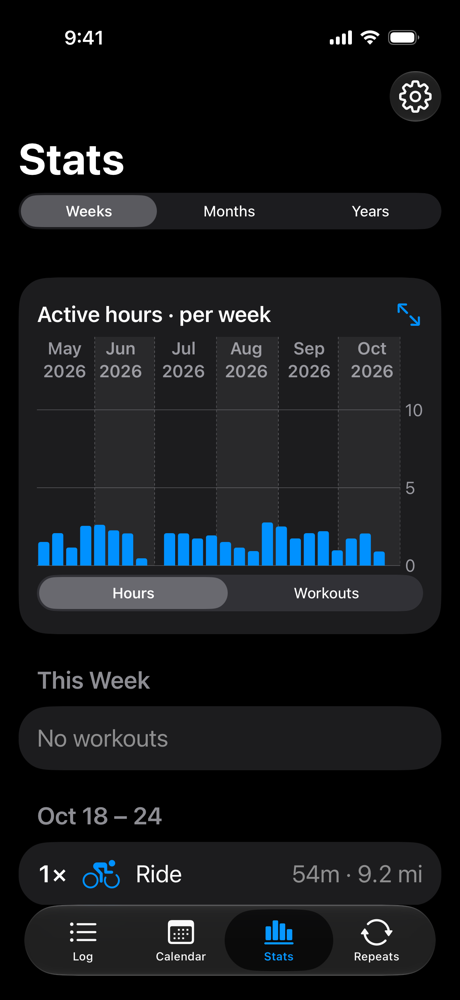
- Stats per week, month or year, in hours or workouts, scrolling back through your whole history, with the sports side by side.
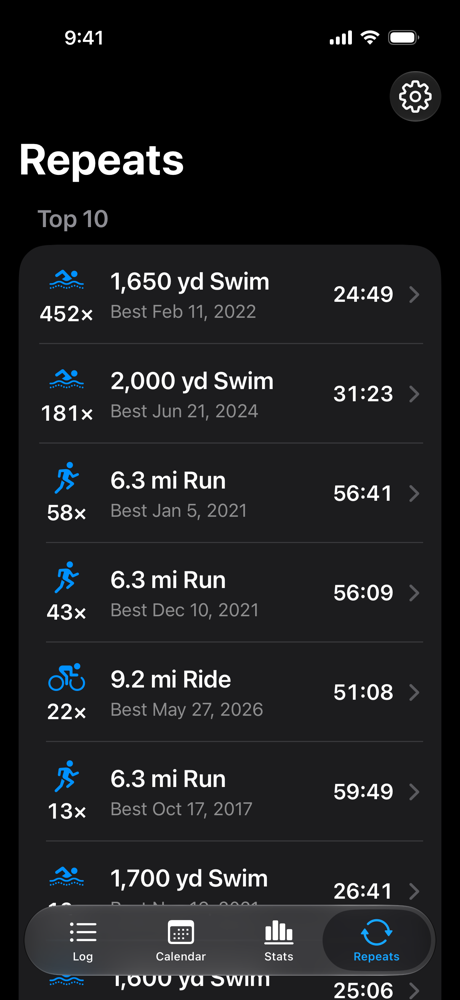
- Recognizes when you've done the same route again, from the GPS track, and the same distance indoors or in the pool.
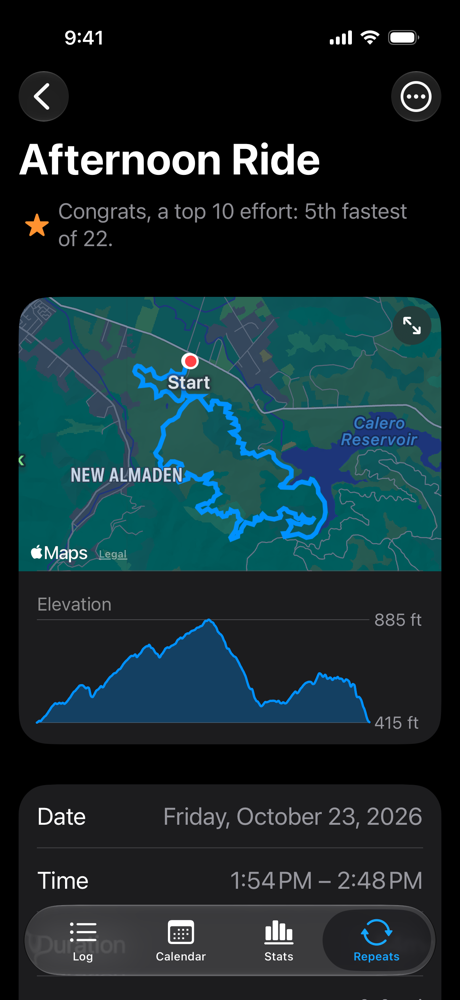
- Best efforts for each course, and where every workout stands, like 5th fastest of 22.
- Workout details: route map, elevation, weather, splits against your best, heart rate zones, laps, swim lengths, power and cadence.
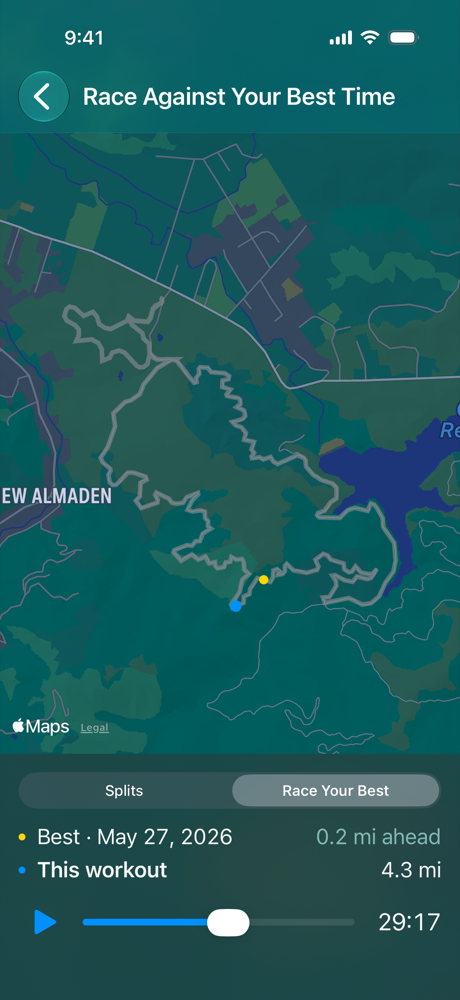
- Race your best: replay a run or ride on the map, or a swim in a pool lane, against your best effort.
Support
Getting started
Strode reads the workouts already in Apple Health. When it asks for access, tap Turn On All and share all your history, not just the last 30 days, so stats, best efforts and repeats can look back over every workout.
Workouts or details are missing
In the Health app on your iPhone, tap your profile picture, then Apps, then Strode, and allow all categories. Workouts recorded by other apps show up once those apps save them to Apple Health.
Repeats are still filling in
After the first launch, Strode reads each workout's route in the background to find repeated courses. With years of workouts this takes a few minutes; Repeats and best efforts fill in as it goes.
Two routes should count as the same course, or shouldn't
In Strode's Settings, under Advanced, the rules for what counts as the same course can be adjusted per sport.
Test or duplicate workouts
Hide them from the ⋯ menu on the workout. Hidden workouts stay in Health and can be shown again in Settings.
Questions or problems
Send me a message on X: @MartinViktora.
Privacy
Strode doesn't collect or share any data. Your workouts stay on your iPhone. Privacy policy