SwimLaps
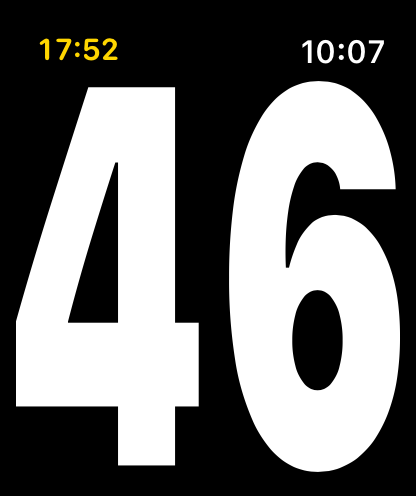
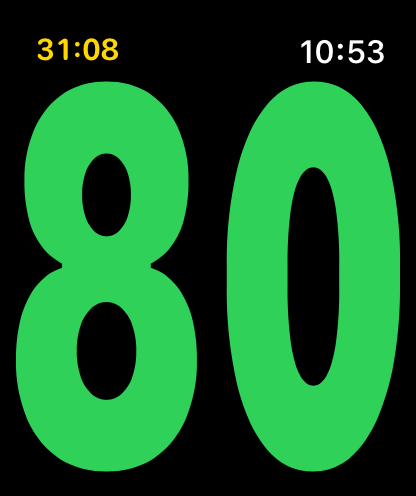
A lap counter for Apple Watch, with the count big enough to read mid-stroke.
Free · Apple Watch · coming soon to the App Store
Why I made it
When I go swimming, I don't do intervals or drills. I jump in, swim my 2,000 yards without stopping, and get out. The built-in Workout app can do a lot, but for that kind of swim it's more than I need, and while I'm swimming its numbers are too small to read between strokes. I only wanted to know one thing at a glance: how far along am I? So I made an app that does that and nothing else.
What it does
- Your count fills the whole screen: lengths, laps or distance, your choice.
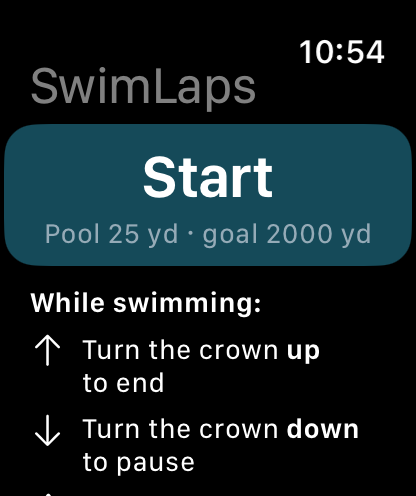
- No touchscreen needed. Turn the Digital Crown up to end, down to pause or resume, even with Water Lock on.
- An optional goal in lengths, meters or yards, with taps on your wrist at 25%, 50% and 75%, three quick taps with two lengths to go, and three long buzzes at the goal.
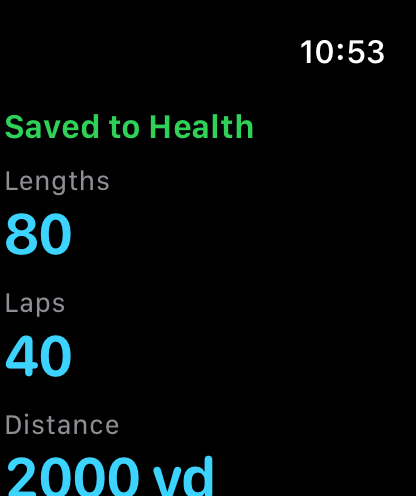
- Every swim is saved to Apple Health as a pool swim, with lengths, distance, time, heart rate, strokes and calories.
- Pools of 25 m, 50 m, 25 yd, 20 m and 33⅓ m.
Support
Starting a swim
Pick your pool length, tap Start, and swim after the 3-2-1 countdown. Water Lock turns on by itself.
Pausing and ending
Turn the Digital Crown down to pause or resume, and up to end. Holding the crown to unlock Water Lock also ends the swim.
The screen goes dark while swimming
On your watch, go to Settings > Display & Brightness > Always On > Choose Apps, and turn on SwimLaps.
Swims don't appear in Health
In the Health app on your iPhone, tap your profile picture, then Apps, then SwimLaps, and allow Workouts.
Questions or problems
Send me a message on X: @MartinViktora.
Privacy
SwimLaps doesn't collect or share any data. Nothing leaves your watch or phone. Privacy policy